
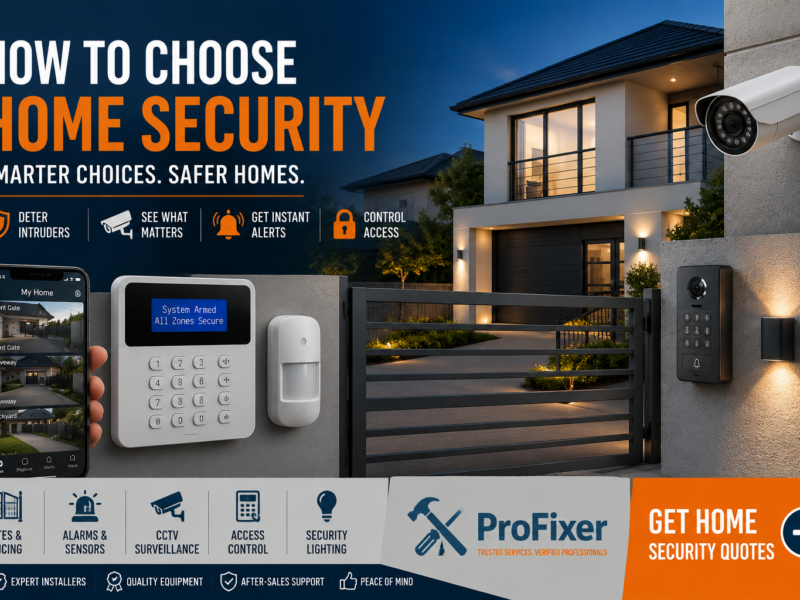
7 Proven Tips on How to Choose Home Security
A front gate that does not close properly, a dark side passage and an alarm that nobody services can leave a property more exposed than it needs to be. Knowing how to choose home security starts with looking at your actual risks, not buying the most expensive equipment advertised. The right setup should make daily life easier while giving you a clear, reliable response when something is wrong.
For a family home, rental property, shop or office, the best solution is rarely one device. It is a considered combination of physical security, detection, lighting and access control, installed properly and maintained over time.
Table of Contents
Start with the property, not the product
Walk around the property at different times of day before requesting quotes. Look for easy entry points: sliding doors, back doors, low walls, unsecured windows, poorly lit driveways, service entrances and gates that can be forced or left open. For businesses, also consider stock rooms, parking areas, delivery access and staff-only zones.
Think about how the premises are used. A family home may need simple alarm zones so children can move around while the perimeter remains armed at night. A landlord may want durable, easy-to-manage access for tenants. A small business may need camera coverage at tills, entrances and loading areas, with controlled access to restricted rooms.
Your location matters too. A remote property may need stronger perimeter protection and reliable remote monitoring. In a busy suburb, visible cameras and good lighting can be useful deterrents, but privacy and camera positioning still need careful consideration. There is no single package that suits every property.
Choose protection in layers
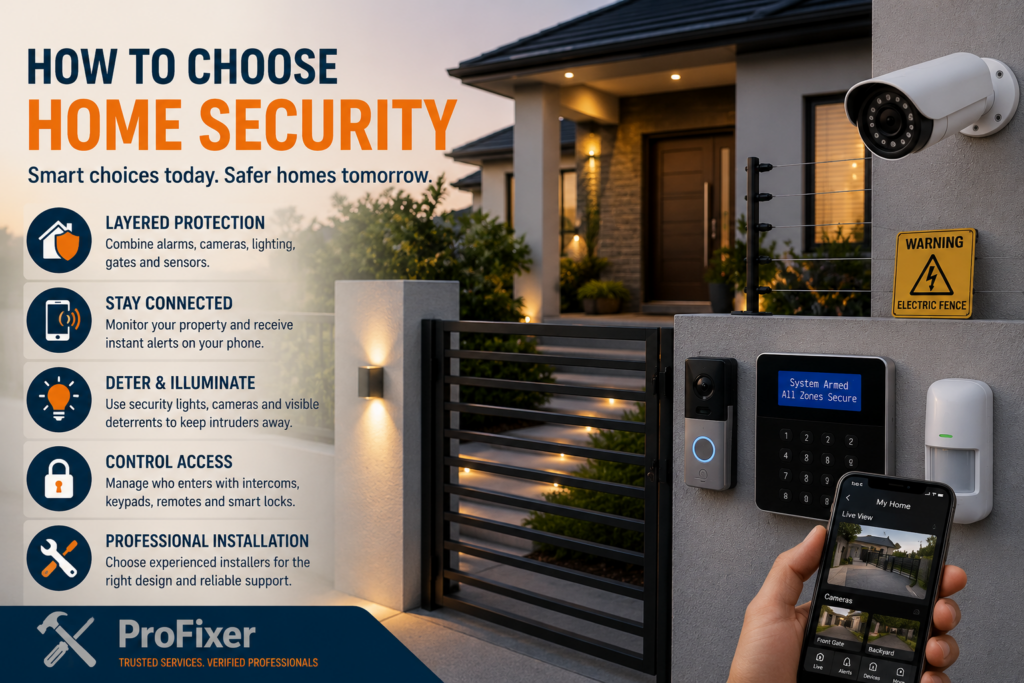
Good home security works in layers. The first layer slows or discourages access. This can include secure gates, fencing, burglar bars, security doors, window locks and exterior lighting. These measures are not as high-tech as an alarm, but they buy valuable time and can prevent opportunistic entry.
The next layer detects a problem. Alarm sensors can cover doors, windows, passageways and selected rooms. Outdoor beams can alert you before someone reaches the building, although they need suitable placement to reduce false activations from pets, vegetation or passing traffic. Panic buttons are worth considering where residents or staff may need urgent assistance.
CCTV gives you visibility. Cameras can help you check a delivery, investigate an incident or monitor key areas remotely. They work best when they cover a specific purpose, such as a driveway, gate, front door or entrance, rather than being installed broadly without a plan. A camera mounted too high, facing bright light or positioned far from the area of interest may produce footage that is of little practical use.
Access control is another useful layer for properties with regular visitors, staff, tenants or contractors. Intercoms, keypad entry, remotes, tags and electric gates can make access more manageable. The trade-off is that these systems need dependable power, sensible user management and a plan for what happens during an outage or fault.
How to choose home security features that fit your routine
Start by deciding what you need the system to do every day. If you travel often, remote alerts and camera viewing may be a priority. If older relatives live at the property, simple controls and panic options could matter more than complicated automation. For a rental home, choose equipment that is durable and easy to hand over between occupants.
An alarm system should be straightforward enough that everyone who needs to use it can do so confidently. Ask whether the system can be armed in sections, whether it has a battery backup, how alerts are sent and what happens if mobile or internet connectivity is interrupted. If professional armed response is part of the plan, confirm the monthly cost, contract terms and coverage in your area before signing up.
For cameras, ask about image quality at night, storage duration, mobile app access and whether footage can be downloaded when needed. Wired cameras are often dependable for permanent installations, but cable routes and installation work can add cost. Wireless cameras can be convenient in some locations, although signal strength, battery charging and Wi-Fi reliability must be considered.
Do not overlook power resilience. Security equipment that stops working during power interruptions leaves a gap at the wrong time. Discuss battery backup for alarm panels, routers, cameras, gates and electric fencing. The best approach depends on the size of the installation and how long you need it to operate without mains power.
Set a realistic budget for installation and ongoing costs
Understanding how to choose home security also means comparing both installation costs and the ongoing charges for monitoring, storage, maintenance and backup power.
A lower quote is not always the lower long-term cost. Compare what is included: equipment brands and quantities, cabling, mounting, programming, user training, backup power, app access, warranties and call-out charges. A vague quote can hide necessary extras that only appear once installation begins.
Separate the one-off installation cost from ongoing costs. These may include monitoring, armed response, cloud camera storage, SIM data, maintenance and replacement batteries. A system with no monthly fee may suit some properties, while a monitored solution can provide greater reassurance for others. The right choice depends on how quickly you need a response and who can act on an alert.
It can help to divide the work into stages. You might first secure access points and install an alarm, then add cameras or access control as the budget allows. A professional installer should be able to recommend a practical phased plan without pressuring you into features you do not need.
Compare installers as carefully as the equipment
A key part of learning how to choose home security is selecting an installer who can explain the system design, limitations and after-sales support clearly.
The quality of installation affects every part of a security system. Poor cable work, badly placed sensors and rushed configuration can cause false alarms, blind spots and ongoing frustration. Choose a provider with experience in the type of property you are securing, whether that is a home, complex, office, retail unit or warehouse.
Ask each installer to inspect the site where possible and explain their recommendation in plain language. They should identify where equipment will go, why it belongs there and any limitations you should understand. A good quote sets out the scope clearly instead of using broad descriptions such as “complete CCTV system”.
When comparing options, check these practical points:
- Whether the quoted equipment is new, named by make and model, and covered by a warranty.
- How the system will keep operating during power or connectivity interruptions.
- Who owns and can access camera footage, passwords and app accounts.
- What support is available after installation, including service fees and response times.
- Whether the installer can provide relevant references or examples of similar work.
If you are comparing several providers, give each one the same information about your property and priorities. That makes it easier to see why one proposal costs more than another. Through Profixer, you can post your home security job free and connect with local security professionals interested in quoting for the work. Compare the proposed equipment, installation scope, backup power, support, warranty and price before choosing a provider.
Plan for privacy, maintenance and everyday use
Security should protect people without creating unnecessary tension with neighbours, tenants or staff. Position cameras to monitor your own entrances, boundaries and property areas. Avoid pointing them into neighbouring homes or private spaces where possible. If cameras are used at a business, be clear with staff about their purpose and how footage is managed.
Once installed, test the system regularly. Check that sensors activate, cameras record clearly at night, remote notifications arrive and backup batteries are healthy. Trim plants that may block cameras or trigger outdoor sensors. Update passwords when household members, tenants or employees change, and remove access for people who no longer need it.
Keep a short record of installer details, warranties, user codes, camera locations and service dates. This is especially useful for landlords and property managers, as it prevents avoidable delays when there is a fault or change of occupant.
The best security system is one your household or team will actually use correctly. Choose clear controls, dependable equipment and an installer who takes the time to explain the setup. A well-planned quote comparison now can give you better protection, fewer surprises and greater confidence in the place you manage every day.
Knowing how to choose home security starts with understanding your property, daily routine and likely risks. Post your job free on Profixer and connect with local security contractors who can assess the site and recommend a practical, layered solution.
GET HOME SECURITY QUOTES